
Many people put off starting a stream because they think they need expensive equipment, a professional studio and a large promotion budget. The truth is that most successful streamers started with modest setups. What they had was a clear plan and the patience to improve step by step.
This guide shows how to start and grow a live stream on a small budget: where it is worth spending money, where it is not and how to promote your channel without wasting what you have.
Start With What You Already Own
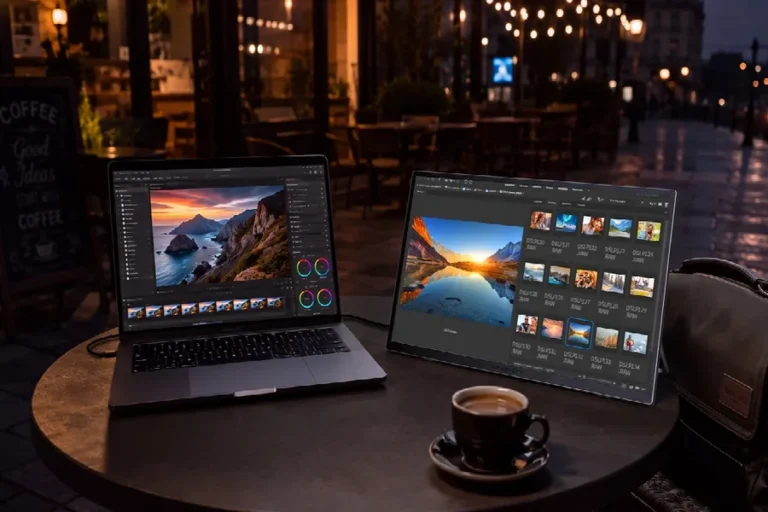
Before buying anything, look at what you already have. A modern computer or even a gaming console can stream directly to Twitch, YouTube or Kick. Free software such as OBS Studio handles scenes, overlays and recording without any cost.
Run a few private test streams with your current setup and watch the recordings. You will quickly see what actually needs improving. Often the answer is less than you expected.
Where to Spend First: Audio
If you can spend money on just one thing, make it a microphone. Viewers will tolerate a basic picture, but poor audio makes them leave within seconds. A simple USB microphone, placed close to your mouth, sounds far better than a headset or laptop microphone.
Pay attention to the room as well. Soft furniture, curtains and carpets reduce echo, and turning off noisy fans makes a noticeable difference. These improvements cost nothing but make your stream more pleasant to listen to.
Lighting Before Cameras
A camera helps viewers connect with you, but it is not required at the start. If you do use one, remember that lighting matters more than the camera itself. A cheap webcam with good light in front of you looks better than an expensive camera in a dark room.
A desk lamp or window light facing you, slightly above eye level, is enough to begin. Later you can add an inexpensive LED panel or ring light.
Free Tools That Do the Heavy Lifting
You do not need to pay for most of the tools that make a stream look and run professionally:
- OBS Studio for scenes, sources and recording.
- Free overlay templates that you can recolor to match your brand.
- Free chat bots for commands, timers and basic moderation.
- Free editing software for turning highlights into short clips.
- Discord for building a community space between streams.
Spend a weekend setting these up properly. A tidy, well-organized stream built with free tools looks far better than a cluttered one built with paid ones.
Promotion That Costs Time, Not Money
The most effective early growth tactics are free. They just require consistency.
- Post short clips. Cut your best moments into vertical videos for TikTok, YouTube Shorts and Instagram Reels. One clip that spreads can bring more viewers than weeks of streaming.
- Collaborate. Raid and co-stream with creators of a similar size. Their viewers are already interested in content like yours.
- Join communities. Be genuinely helpful in forums, subreddits and Discord servers related to your game or topic.
- Stick to a schedule. A predictable schedule is free and one of the strongest growth tools available.
When Paid Promotion Makes Sense
At some point, many streamers consider spending a little money on promotion. This is where a budget mindset matters most. Spending without a plan is the fastest way to waste money and learn nothing.
There are several options: paid ads on social media, sponsored placements with other creators and services that boost a stream’s live visibility. The last option is popular because the zero-viewer barrier is so hard to break, and a stream that appears higher in the category list has a better chance of being found by real viewers.
Twitch Bots is one example of such a service. It has worked since 2015, covers Twitch, YouTube, Kick and VK Video Live, and lets you order viewer boosting through an automated dashboard with daily, weekly or monthly options, starting from small amounts. The service is available at https://twitch-bots.ru/en/.
If you try paid promotion on a budget, follow a few rules:
- Test small first. Use the smallest option available and see how it affects your real numbers.
- Boost only your best streams. Save money for broadcasts with a hook, such as a new game launch or a collaboration.
- Keep it proportionate. A modest boost that matches your chat activity looks natural; a huge jump does not.
- Measure the return. Track new followers and returning viewers after each boosted stream. If they do not grow, change your approach.
- Know the rules. Each platform has terms on artificial engagement, so read them and weigh the risk before you spend anything.
Upgrade Gradually
As your channel grows, upgrade one piece at a time based on what your viewers notice most. Usually the order is microphone, lighting, camera and then everything else. Wait until a limitation is actually holding you back before replacing it.
If your channel starts earning money from subscriptions, donations or sponsorships, reinvest part of it into the stream. This keeps your growth sustainable and avoids spending money you do not have.
Avoid Common Budget Traps
- Buying gear before testing. Many beginners buy expensive equipment and then stop streaming after a month.
- Paying for things that are free. Check for free alternatives before paying for overlays, bots or software.
- Chasing numbers instead of people. Money spent on visibility is wasted if your stream gives visitors no reason to stay.
- Copying big streamers’ setups. Large channels have budgets and teams. Build what fits your channel today, not what someone else needed after years of growth.
Conclusion
Streaming does not require a big budget. Start with what you have, spend first on audio, use free tools and invest your time in clips, collaborations and a consistent schedule. When you do spend money on promotion, test small, measure carefully and focus on the viewers who actually stay.
Smart choices matter more than big spending. A careful budget and steady effort can build a channel that grows for years.