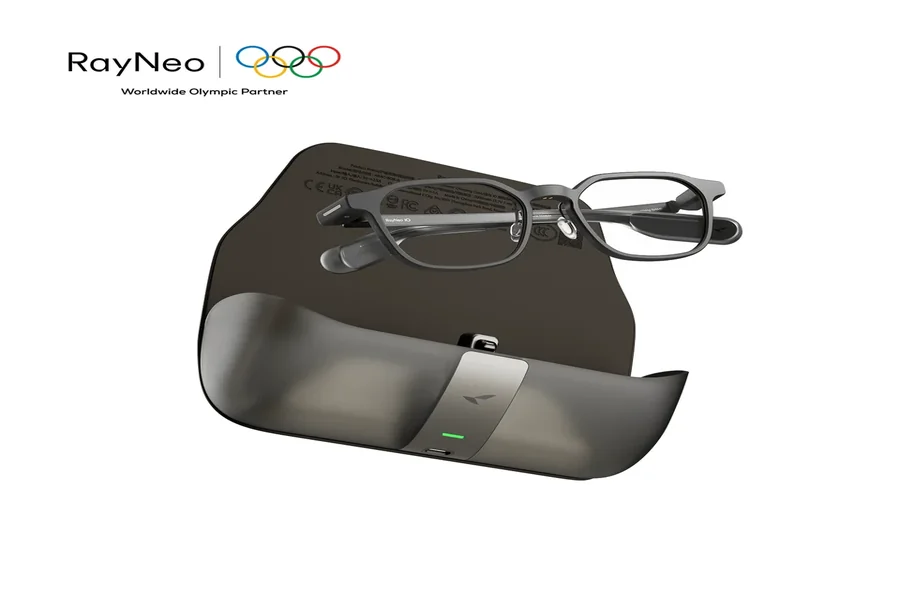
AI glasses combine familiar eyewear with artificial intelligence, voice control, audio, and, in some models, transparent displays. Their main purpose is to make digital information easier to access without constantly reaching for another device. A wearer can ask questions, receive notifications, follow captions, review prompts, or capture spoken information while continuing with the task in front of them. Instead of treating AI as something that lives inside a separate app, AI glasses move it closer to everyday actions. That makes them useful for communication, work, presentations, travel, and quick access to information throughout the day.
AI Glasses Create a New Way to Access Digital Information
Eyewear Can Become a Personal Interface
The biggest difference between AI glasses and conventional devices is where the interaction happens. A phone usually asks the user to stop, look down, open an app, and search for what they need. AI glasses can place part of that interaction directly in front of the wearer. Depending on the design, users may speak a command, hear an answer, tap a control on the frame, or view text through a transparent display. This creates a more immediate relationship between the person and digital information. Rather than replacing every screen, AI glasses focus on short, useful interactions such as checking a reminder, reading a notification, asking a quick question, or viewing a piece of information while staying engaged with the surrounding activity.
Voice Turns AI Into a Hands-Free Tool
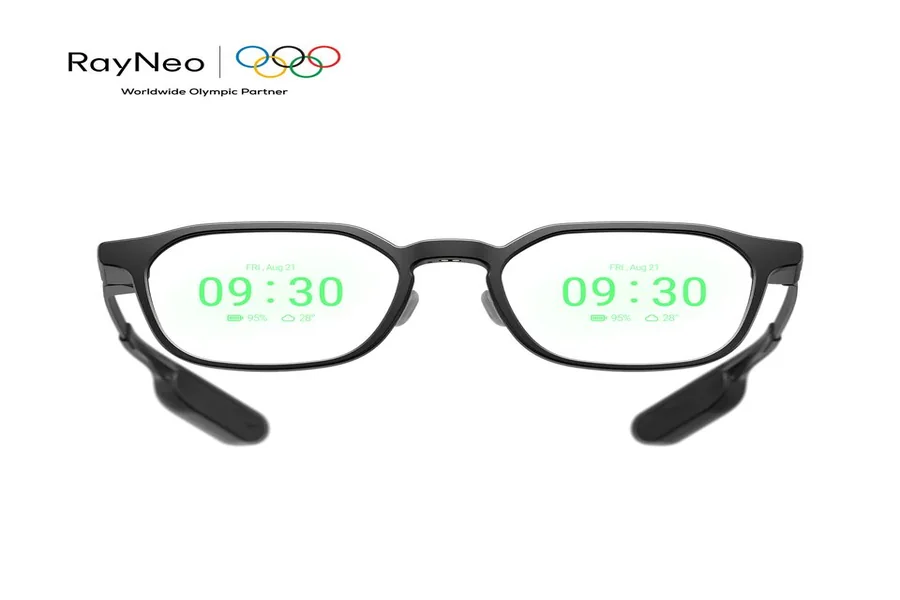
Voice is one of the most natural ways to control AI glasses because it removes the need to navigate through several menus. A wearer can ask a question, request information, or activate a supported feature through spoken commands. The system processes that request and returns a response through audio or the display. RayNeo iO AI Glasses follow this approach with an all-day voice assistant and a 33-inch optically equivalent transparent display. The glasses can show AI responses, notifications, and essential information directly in view. Their 97% active display transparency and 33-gram frame also reflect an important part of wearable design: digital functions need to fit naturally into something that people can wear for long periods.
Heads-Up Information Changes Small Daily Habits
AI glasses become especially useful when the information is short and time-sensitive. A heads-up dashboard can show schedules, weather, notifications, or other quick updates without requiring the wearer to open a separate screen. This changes the meaning of “checking” something. Instead of pulling out a device, the user can glance at the information and continue with the current activity. The same approach works for reminders, short AI answers, appointment details, or simple status updates. The strength of this format comes from restraint. AI glasses do not need to fill the entire view with digital content. They can present only the information that matters at that moment, making the interaction brief and easy to follow.
Real-World Tasks Show What AI Glasses Can Actually Do
Live Captions Can Follow a Conversation
Spoken language is one of the clearest areas where AI glasses can become practical. The glasses can capture speech, process it, and display captions or translations in front of the wearer. This creates a direct link between what someone says and what the user reads. During travel, meetings, conferences, or multilingual conversations, translated text can appear while the discussion continues. Some AI glasses support dozens of languages and accents, making this type of function useful across many communication settings. Live captions can also support lectures, presentations, and other spoken situations. Instead of treating language support as a separate task, AI glasses can place the text close to the speaker and keep the wearer focused on the conversation itself.
Meetings Can Turn Into Searchable Information
AI glasses can also capture spoken content and organize it for later use. Recording, transcription, meeting notes, and summaries can become part of one connected workflow. A user may record a discussion, highlight an important point, review the main ideas afterward, or extract action items from the conversation. This turns wearable AI into more than a tool for receiving information. It can also support memory and organization. Lifelog-style functions extend this idea by creating a timeline of recorded moments, tasks, or key takeaways. For people who move between meetings, calls, and conversations, this type of workflow can reduce the need to manually capture every detail and make important information easier to revisit later.
Teleprompters Put Prompts Where Speakers Need Them
Presentations show another useful role for display-based AI glasses. An invisible teleprompter can place prepared text directly on the lenses, allowing a speaker to follow notes while still facing the audience. Voice-tracking technology can also adjust the scrolling text to match the speaker’s pace. The same concept works beyond formal speeches. A host may follow an event sequence, a presenter can keep important figures in view, or a professional can check talking points during a meeting. This shows why AI glasses are well suited to small pieces of information that need to appear at the right moment. A short prompt, name, figure, or sentence can be more useful than a full screen when the user needs to keep attention on the people and activity around them.
Conclusion
AI glasses combine wearable design with AI, voice interaction, audio, and visual information. Their real value lies in making everyday digital tasks easier to access while users continue with conversations, work, travel, or presentations. Functions such as live captions, translation, meeting notes, teleprompters, notifications, and voice assistance show how broad the category can become. Rather than acting as a miniature version of another device, AI glasses create a more direct way to receive and manage useful information through something people already know how to wear.