


Industrial machines and automated systems often perform complex operations, but the people operating them need a clear and practical way to monitor what is happening. A poorly designed interface makes it harder to identify faults, adjust settings and respond to changing production conditions. Custom HMI solutions address this challenge by providing interfaces designed around specific equipment, processes and operator requirements.
A Human-Machine Interface (HMI) connects people with machines through visual displays and interactive controls. Depending on the application, it might show production data, equipment status, alarms and operating parameters. A customised design helps ensure the information is presented in a way that suits the actual working environment.
What Is a Human-Machine Interface?
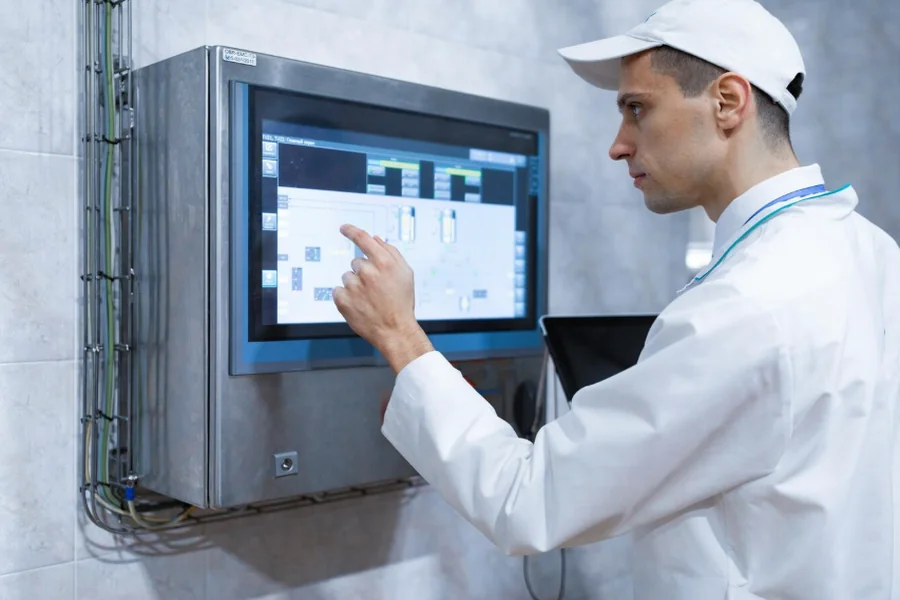
An HMI is the interface through which an operator interacts with a machine or industrial process. It might take the form of a touchscreen panel, industrial monitor, computer-based application or embedded display.
In a manufacturing facility, an HMI might show machine temperatures, operating speeds, production counts and alarm notifications. Operators use the interface to monitor performance, enter commands and adjust approved settings.
An HMI often works alongside a Programmable Logic Controller (PLC), which manages machine operations according to programmed instructions. The interface communicates with the control system to display information and relay operator inputs.
The exact arrangement depends on the equipment and automation architecture. Some systems use standalone panels, while others connect to supervisory control and data acquisition platforms.
Why Businesses Choose Custom HMI Solutions
Standard interfaces provide useful functions, but their layouts and features might not suit every industrial process. A customised HMI allows developers to organise controls and information around the equipment being operated.
For example, a production line with several connected machines might require a screen showing the status of each unit. A specialised processing system might need detailed temperature readings, operating limits and alarm histories.
Customisation helps remove unnecessary information and gives operators access to the functions they use most often. This makes the interface more relevant to daily tasks and reduces the need to navigate through unrelated screens.
Key Features of a Well-Designed HMI
Clear Screen Layouts
An effective HMI presents important information in a logical order. Operators should be able to identify machine status, active alarms and essential controls without searching through crowded screens.
Consistent labels, readable text and sensible use of colours help users understand the information displayed. Critical warnings should be visually distinct, while routine status information should remain easy to interpret.
Real-Time Monitoring
Many industrial HMIs display information received from sensors, PLCs and other connected devices. This allows operators to monitor conditions such as pressure, temperature, speed and production output.
The update frequency depends on the application and communication system. Time-sensitive processes require suitable data handling to ensure the information shown is useful for operational decisions.
Alarm Management
Alarm functions notify operators when equipment conditions move outside defined limits or when a fault occurs. A customised interface helps organise these notifications according to their importance.
Useful alarm systems display clear descriptions, timestamps and relevant machine information. They should also support appropriate acknowledgement and escalation procedures.
Poor alarm design creates confusion, especially when operators receive too many warnings at once. Alarm priorities should reflect the actual risks and operational consequences of each condition.
User Access Controls
Different employees might need different levels of access to an industrial system. An operator, maintenance technician and system administrator should not necessarily have identical permissions.
User authentication and role-based access help restrict sensitive functions to authorised personnel. This reduces the risk of accidental changes and supports more controlled system operation.
Designing an HMI Around the Working Environment
Custom HMI development should begin with an understanding of the people and processes involved. Developers need to know which information operators require, which actions they perform and how the interface will be used during a normal shift.
The physical environment also matters. A touchscreen installed near production machinery might need a durable enclosure and a display suitable for the surrounding lighting conditions. A system used in a control room has different requirements.
Screen size, viewing distance, glove compatibility and cleaning procedures should be considered during the design stage. These details influence whether the interface remains practical during everyday operation.
Integration with Existing Industrial Equipment
A custom HMI needs to communicate with the equipment it controls or monitors. Compatibility with PLCs, sensors, drives and industrial communication protocols is therefore essential.
Common protocols include Modbus, OPC UA and selected industrial Ethernet technologies. The appropriate option depends on the existing automation system and the devices being connected.
Before development begins, establish which data points need to be displayed and which commands the HMI is permitted to send. This helps define the communication architecture and prevents unnecessary complexity.
Testing should confirm that information is displayed correctly, operator inputs reach the intended system and communication failures are handled appropriately. Where the HMI connects to operational technology networks, cybersecurity and access controls should also be included in the design.
The Benefits of Working with an Experienced HMI Developer
A capable HMI development partner understands both interface design and industrial automation. This combination matters because a visually attractive screen is of limited value if it does not reflect how the equipment operates.
An experienced team should be able to assess the existing control system, identify integration requirements and develop an interface suited to the application. It should also provide documentation, testing and support after deployment.
Businesses should ask about previous industrial projects, supported hardware and software platforms, communication protocols and maintenance arrangements. These details help establish whether a provider has the technical capabilities required.
Final Thoughts
Custom HMI solutions give businesses greater control over how operators interact with industrial equipment. By organising essential information, simplifying controls and supporting communication with existing automation systems, a well-designed interface makes daily operations easier to manage.
The best approach starts with a clear understanding of the equipment, users and working environment. Businesses should also consider integration, access permissions, testing and long-term technical support when selecting an HMI development partner.