

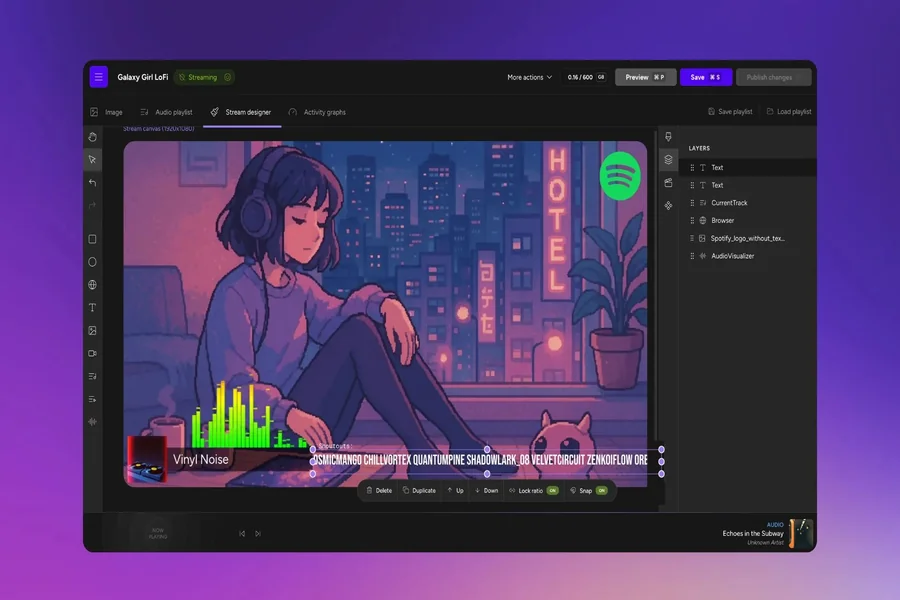
Viewers decide whether to stay on a stream within seconds, and much of that decision is visual. A clean layout, readable text and well-timed alerts tell a newcomer that the stream is worth their time. A cluttered or broken screen tells them the opposite.
You do not need to be a designer or spend a fortune to look professional. This guide covers the essentials of stream design in OBS or any similar software: scenes, overlays, alerts and the small details that make a big difference.
Start With Scenes, Not Decorations
Before thinking about colors and animations, plan the scenes you need. Most streams use the same small set:
- Starting soon. A simple screen with music and a countdown gives early viewers time to arrive before you begin.
- Main scene. Your game or activity, with your camera and the key information viewers need.
- Just chatting. A larger camera view for conversations, announcements or breaks between games.
- Be right back. A screen for short breaks, so viewers know you are coming back and do not leave.
- Ending. A closing screen with your schedule and social links, shown before you raid another channel.
Switching between these scenes smoothly makes the stream feel organized. Set up hotkeys or a stream deck so each transition takes a single press.
Overlays: Less Is More
An overlay is the frame around your content: camera border, labels, recent follower lists, goals and so on. The most common mistake is putting too much on screen.
- Protect the content. Never cover important parts of the game, such as the minimap, health bar or subtitles.
- Keep text readable. Many viewers watch on phones. Use large, simple fonts and strong contrast.
- Stay consistent. Use the same colors and fonts across all scenes, your channel page and your social media.
- Show only useful information. A schedule, a current goal or a social handle is useful. Five scrolling widgets are not.
If you are not ready to design your own overlay, start with a free template and change the colors to match your brand. Simplicity almost always looks better than complexity.
Alerts That Celebrate, Not Interrupt
Alerts for follows, subscriptions and donations reward support and encourage others to join in. They should feel like a small celebration, not an interruption.
Keep alert sounds short and set their volume below your voice. Place visual alerts where they do not hide important content, and limit their length to a few seconds. Most importantly, react to them yourself: a personal thank-you matters far more than the animation.
Camera and Lighting
A camera is not required, but it helps viewers connect with you. If you use one, lighting matters more than the camera itself. A simple light in front of you, slightly above eye level, removes harsh shadows and makes even an inexpensive webcam look clean. Keep the background tidy, or blur it if your space is busy.
Technical Quality Is Part of Design
The best overlay in the world will not save a stream that stutters. Choose a bitrate your connection can sustain, test your settings with a short private stream and watch the recording. Check that your microphone is clear, that game audio does not drown out your voice and that the stream stays stable for hours.
Sound Design and Music
Audio is half of the experience, and it is often neglected. Background music can fill quiet moments, but it should never compete with your voice. Keep it low, avoid tracks with lyrics while you talk and use only music you have the right to stream, since copyrighted tracks can lead to muted recordings or takedowns. Many platforms and creators offer music libraries that are cleared for streaming.
Small sound effects can add personality, for example a short jingle when a segment starts. Use them sparingly, and test the volume of every sound in a recording before using it live.
Branding Beyond the Stream
Your design should not stop at the edge of the video. Use the same colors, fonts and logo on your channel banner, profile picture, panels, thumbnails and social media posts. When someone sees a clip on TikTok and then visits your channel, the visual match tells them they are in the right place.
Create a few reusable templates: one for stream announcements, one for schedule posts and one for clip thumbnails. Templates save time every week and keep everything you publish recognizable at a glance. Over time, consistent branding makes your channel feel established, even while it is still small.
Free Tools That Speed Things Up
Several services offer free resources that save setup time. Stream Promotion, best known as a promotion service for Twitch, Kick, YouTube and VK Video Live, also provides free streamer tools with no sign-up: OBS overlays, a bitrate calculator, a stream schedule maker, an emote resizer and a stream title checker. You can find them on the main site at https://stream-promotion.ru/en/.
The same service offers paid promotion, such as live viewers, followers and chat activity, for streamers who want an extra push in visibility. If you consider that option, test it on a small scale, keep the numbers realistic and read your platform’s rules on artificial engagement first. Design and promotion work together: a polished stream turns new visitors into followers more often.
Conclusion
Good stream design is about clarity. Plan a small set of scenes, keep overlays simple and readable, make alerts short and personal, and get your audio and stability right before anything else.
Do not try to perfect everything before your first broadcast. Start with a clean basic setup, stream regularly and improve one element at a time based on what you see in your recordings and what your viewers tell you. Design is never finished, and a stream that evolves with its community often looks more authentic than one built all at once.
Viewers may not notice good design consciously, but they feel it. A clean, well-organized stream invites them to stay, and staying is the first step toward following.