

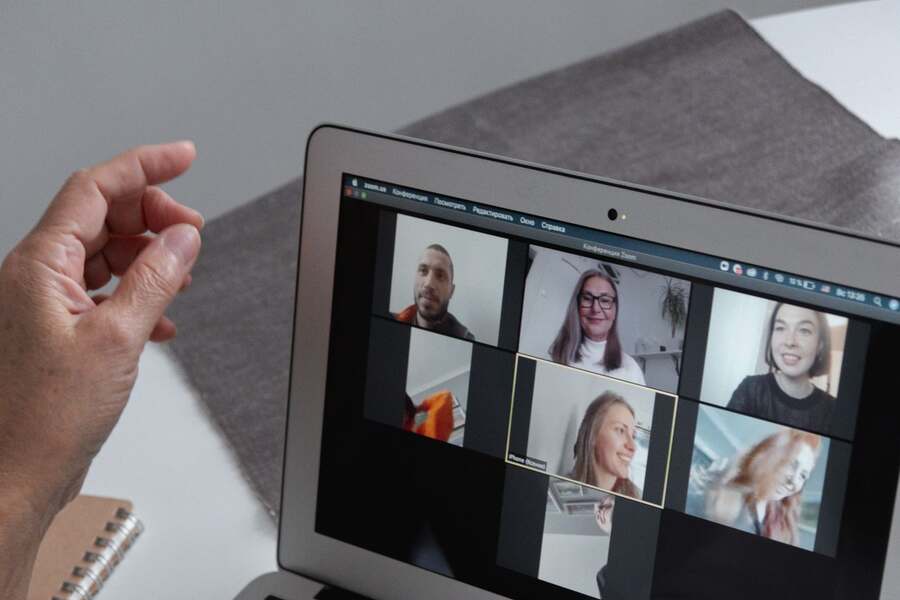
Businesses are changing how they communicate with customers, employees, and industry partners. Online meetings have evolved into larger, more interactive experiences that bring people together from different locations. A well-planned virtual event gives organizations an opportunity to share information, build relationships, generate leads, and promote their services without requiring attendees to travel. However, successful online events need more than a video conferencing link. They require a clear strategy, engaging content, reliable technology, and thoughtful production. Every detail matters, from the registration process to the final presentation. The goal is to create an online experience that feels organized, professional, and worth attending.
1. Establish a Clear Purpose Before Planning
Every successful event starts with a specific objective. Organizers need to understand why the event is happening and what they want attendees to gain from participating.
A company hosting an online product launch has different priorities than an organization arranging an employee training session.
Start by identifying the primary goal.
Common objectives include:
- Generating qualified leads: Introduce potential customers to products and services.
- Educating an audience: Share industry knowledge, technical information, or practical advice.
- Building brand awareness: Increase visibility and establish the company as an industry authority.
- Training employees: Explain new procedures, software, policies, or business strategies.
- Strengthening customer relationships: Provide product updates, demonstrations, and opportunities for direct communication.
- Connecting industry professionals: Create networking opportunities for people with similar interests.
The objective should influence every planning decision.
For example, a software company launching a new project management platform might organize a live demonstration. The presentation could show how to create projects, assign tasks, track deadlines, and generate reports.
A company hosting an educational webinar might use expert speakers, practical examples, and a question-and-answer session.
A clear purpose makes it easier to select the right format, speakers, technology, and promotional strategy.
2. Identify the Target Audience
Event organizers should know exactly who they want to reach.
An event designed for business executives should have a different structure from one created for students, customers, or technical professionals.
Audience research helps determine the appropriate topics, presentation style, event duration, and level of technical detail.
Consider these questions:
- What industries do attendees work in?
- What problems are they trying to solve?
- How familiar are they with the subject?
- What information would make the event valuable?
- Are they attending for professional development, networking, or product research?
- What time zones do they live in?
For example, a cybersecurity webinar for IT managers can include technical demonstrations, security frameworks, and discussions about compliance requirements.
A webinar for small business owners might focus on password management, employee training, phishing prevention, and affordable security tools.
Specific audience information produces more relevant content.
It also improves event promotion. Organizers can create advertisements, emails, and social media posts that address the audience’s actual interests.
3. Choose the Right Virtual Event Format
Not every online event should follow the same structure. The format needs to match the subject and the audience’s expectations.
Several formats work particularly well for professional organizations.
Live webinars
Webinars are useful for educational presentations, product demonstrations, and expert discussions.
A typical webinar includes one or more speakers, presentation slides, and a question-and-answer session.
Organizers can use registration forms to collect attendee information and follow up after the presentation.
Virtual conferences
Virtual conferences bring multiple speakers and sessions together under one theme.
A conference might include keynote presentations, panel discussions, breakout sessions, and networking opportunities.
This format works well for professional associations, industry groups, and businesses that want to reach large audiences.
Online product launches
Product launches introduce new products, services, or features to potential customers.
Companies can demonstrate how a product works, explain its benefits, and answer questions from prospective buyers.
A strong launch should include detailed product visuals and a clear presentation schedule.
Virtual workshops
Workshops encourage active participation.
Attendees might complete exercises, follow demonstrations, or work through practical examples with an instructor.
This format is particularly useful for software training, professional development, and educational programs.
Hybrid events
Hybrid events combine an in-person gathering with online participation.
The physical audience attends at a venue, while remote participants watch and interact through a digital platform.
Hybrid production requires additional planning because both audiences need a consistent experience.
Choose a format based on the level of interaction and the type of information being delivered.
4. Select a Reliable Event Platform
The event platform influences how attendees register, access sessions, communicate with speakers, and participate in activities.
A platform should support the specific requirements of the event.
Basic webinars may only need video conferencing, screen sharing, and audience questions. Larger conferences might require registration management, breakout rooms, virtual networking, and multiple simultaneous sessions.
Important platform features include:
Registration management
Attendees should be able to register through a simple process. Organizers should collect essential information without making the form unnecessarily complicated.
Screen sharing
Presenters need to display slides, videos, websites, and software demonstrations.
Audience interaction
Chat functions, polls, and question-and-answer tools help participants engage with the content.
Breakout rooms
Smaller discussion rooms allow attendees to collaborate or participate in focused conversations.
Recording capabilities
Recording makes it possible to share sessions with people who could not attend live.
Attendance reporting
Registration and attendance data help organizers measure participation and evaluate event performance.
Test the platform before announcing the event. Check its participant limits, recording options, technical requirements, and compatibility with common devices.
A platform that works well for a small team meeting might not support a conference with thousands of attendees.
5. Create an Engaging Event Schedule
Long presentations can make online audiences lose interest. A structured agenda helps maintain attention and gives participants a clear understanding of what to expect.
Organizers should balance educational content, speaker presentations, and interactive activities.
For example, a 60-minute business webinar could follow this schedule:
| Time | Activity |
|---|---|
| 0–5 minutes | Welcome and introduction |
| 5–15 minutes | Industry overview |
| 15–30 minutes | Main presentation |
| 30–40 minutes | Live demonstration |
| 40–50 minutes | Audience questions |
| 50–55 minutes | Key takeaways |
| 55–60 minutes | Closing and next steps |
This structure gives attendees useful information without overwhelming them.
Avoid filling every minute with slides and talking.
Short transitions, polls, and audience questions create opportunities for people to participate.
For longer conferences, schedule breaks between major sessions. Attendees may need time to check messages, stretch, or prepare for the next presentation.
6. Invest in Professional Audio and Video
Technical quality has a direct impact on the audience experience.
A speaker with unclear audio can quickly lose an audience. A blurry camera feed or poorly designed presentation can make even valuable information difficult to follow.
Organizers should establish minimum technical requirements for presenters.
Recommended equipment includes:
- A high-quality USB or XLR microphone.
- A webcam capable of recording in Full HD.
- Stable internet connectivity.
- A reliable computer.
- Appropriate front-facing lighting.
- Headphones to reduce audio feedback.
- A clean and professional background.
Audio should receive priority over unnecessary visual effects. Attendees can tolerate a simple camera setup more easily than distorted sound or inconsistent microphone levels.
Speakers should test their equipment before the event. They should also close unnecessary applications, silence notifications, and position their cameras at eye level.
For larger productions, professional AV support can help coordinate microphones, cameras, video switching, graphics, and live streaming.
A dedicated technical team can monitor the broadcast and respond quickly if something goes wrong.
7. Use Interactive Features to Maintain Attention
One of the biggest challenges of online events is keeping attendees involved.
People watching from home or the office face constant distractions. Incoming emails, phone notifications, and other responsibilities can pull their attention away from the presentation.
Interactive features encourage participants to stay involved. As Harvard Business Review notes on running great virtual meetings, people stay engaged when they are given a real role instead of just watching.
Live polls
Ask attendees to vote on a question related to the presentation. A marketing webinar might ask participants which social media platform generates the most leads for their business.
Question-and-answer sessions
Give attendees an opportunity to submit questions during or after presentations.
Live demonstrations
Show how a product or process works instead of relying entirely on slides.
Chat discussions
Ask participants to share opinions, experiences, or answers to specific questions.
Knowledge checks
Short quizzes can reinforce important information during training sessions.
Virtual networking
Create opportunities for attendees to connect through moderated discussions or smaller breakout rooms.
These activities should have a clear purpose. Random polls and unnecessary interruptions can distract from the main content.
The best interactive features support the event’s objectives and give attendees a reason to participate.
8. Promote the Event Before It Starts
A well-produced event still needs an effective promotional strategy.
Organizers should begin promoting the event several weeks before the scheduled date, depending on its size and target audience.
A strong promotional campaign uses several communication channels.
Email marketing
Email is an effective way to reach existing customers, subscribers, and professional contacts.
The invitation should include:
- The event title.
- Date and time.
- Main topic.
- Featured speakers.
- Key benefits of attending.
- Registration link.
Send reminder emails to registered attendees. A reminder one week before the event and another 24 hours before it starts can help reduce missed registrations.
Social media
LinkedIn works particularly well for professional webinars, business conferences, and industry discussions.
Instagram and Facebook can help promote events to broader audiences.
Publish speaker introductions, short promotional videos, topic previews, and registration reminders.
Company website
Create a dedicated event landing page.
The page should explain what attendees will learn and why the event is relevant to them.
Include a clear registration button and avoid unnecessary distractions.
Paid advertising
Paid campaigns can help reach people outside an organization’s existing audience.
Businesses can target advertisements based on professional interests, job roles, industries, and other available audience characteristics.
Every promotional message should communicate a clear reason to register.
A generic announcement is less effective than one that explains exactly what attendees will learn or experience.
9. Prepare Speakers and Presenters
Speakers influence the quality and credibility of an event, and the same principles behind a keynote that connects with audiences apply online.
Even experienced professionals need preparation before presenting online.
Organizers should provide speakers with a clear brief. The document should include the event schedule, presentation length, audience profile, technical requirements, and key discussion points.
Speakers should also receive instructions about:
- Presentation file formats.
- Slide dimensions.
- Microphone requirements.
- Camera positioning.
- Background appearance.
- Internet connectivity.
- Screen-sharing procedures.
- Question-and-answer expectations.
Schedule a rehearsal with all presenters.
This gives the production team an opportunity to test audio, video, slides, and transitions.
It also helps speakers become familiar with the platform.
A rehearsal reduces uncertainty and creates a smoother live presentation.
For panel discussions, assign a moderator. The moderator should introduce participants, manage speaking time, and keep the conversation focused.
10. Plan for Technical Problems
Technology can fail, even with careful preparation.
An internet connection may become unstable. A presenter might lose access to their microphone. A presentation file might refuse to open.
Organizers should prepare backup solutions before the event begins.
Useful precautions include:
- Keeping presentation files on multiple devices.
- Having a backup internet connection.
- Providing speakers with technical support contact information.
- Testing backup microphones and cameras.
- Saving recorded videos locally.
- Preparing an alternative meeting link.
- Assigning a technician to monitor the broadcast.
Creating a simple troubleshooting plan for common problems.
For example, if a speaker loses internet access, the moderator can continue with another presenter while the technical team helps restore the connection.
If a video fails to play, the production team can use a backup file.
A clear contingency plan prevents minor technical problems from disrupting the entire event.
11. Measure Event Performance
Event performance should be evaluated using measurable results.
Registration numbers alone do not provide a complete picture. A large number of registrations does not necessarily mean people attended, participated, or took action afterward.
Organizers should track several performance indicators.
| Metric | What It Measures |
|---|---|
| Registrations | Total number of people who signed up |
| Attendance rate | Percentage of registered participants who joined |
| Average viewing time | How long attendees remained connected |
| Audience engagement | Poll responses, questions, and chat activity |
| Lead generation | Number of qualified prospects collected |
| Conversion rate | Percentage of attendees who completed a desired action |
| Post-event feedback | Attendee satisfaction and suggestions |
For example, a company might receive 500 registrations for a product webinar. If 300 people attend, the attendance rate is 60%.
The business can then review how many attendees requested a product demonstration or contacted the sales team.
These results help organizers understand what worked and what needs improvement.
12. Follow Up With Attendees After the Event
The event should not end when the live broadcast stops.
Post-event communication helps businesses maintain relationships and turn audience interest into meaningful action.
Send a thank-you email within 24 to 48 hours.
The message can include:
- A recording of the event.
- Presentation slides.
- Additional educational resources.
- Answers to unanswered questions.
- A feedback survey.
- Contact information.
- Relevant product or service links.
Segment the follow-up list when possible.
For example, attendees who requested pricing information may need a sales follow-up. People who attended an educational session might benefit from additional resources.
Companies should also review audience feedback and event analytics before planning the next session.
Post-event communication extends the value of the original presentation and creates opportunities for continued engagement.
Building a Better Online Event Experience
A successful online event requires a combination of strategy, content, technology, and communication.
Organizers need to understand their audience, establish measurable goals, and select a format that supports those objectives. They also need reliable equipment, prepared speakers, an engaging agenda, and a promotional plan that reaches the right people.
Every stage contributes to the final experience.
The most effective virtual events provide real value rather than simply broadcasting information. They encourage participation, answer relevant questions, and give attendees practical reasons to stay involved.
Start with a focused objective. Build the schedule around the audience. Test the technology before going live. Measure the results and use attendee feedback to improve future productions.
With careful planning and professional execution, businesses can create online experiences that strengthen relationships, increase brand visibility, and support long-term growth.