

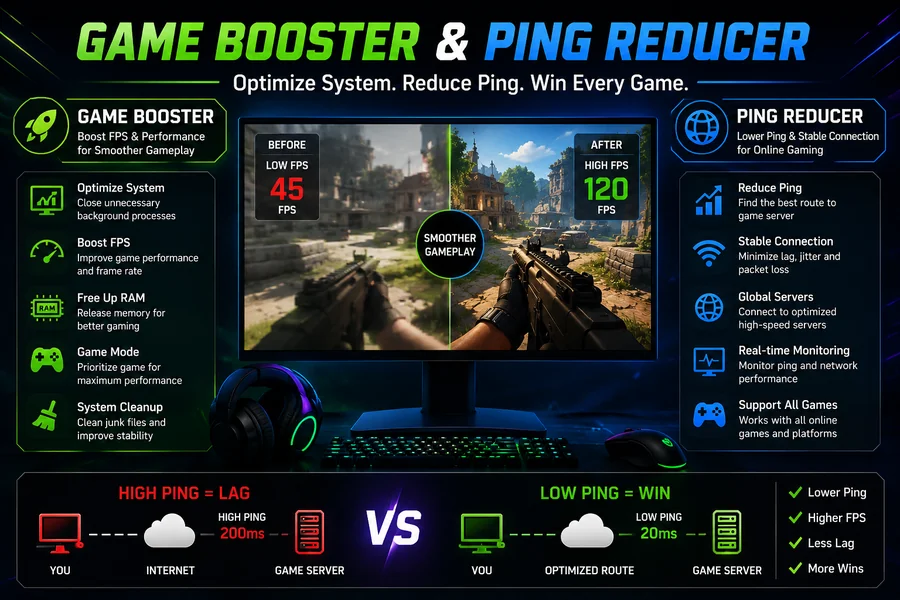
Powerful graphics and quick processors are not the only requirements for online gaming. A smooth gaming session also requires a stable connection, responsive controls, and a computer that can handle the workload efficiently. Players may experience frame drops, background interruptions, high latency, or sudden connection problems even when their hardware appears capable. Two tools often associated with improving this experience are a Game Booster and a Ping Reducer.
These solutions focus on different aspects of gaming performance. A Game Booster generally works with system resources, while a Ping Reducer is designed to help manage network-related issues. Understanding how both work can help gamers make better decisions when trying to improve their overall gameplay.
What Is a Game Booster?
A Game Booster is software created to optimize a computer before or during a gaming session. Modern computers often run many applications and services in the background. Browsers, update utilities, cloud applications, launchers, and other programs can consume CPU, RAM, storage activity, or other resources.
A Game Booster can help identify unnecessary background activity and provide an easier way to prepare the system for gaming. Instead of manually checking several applications and settings, players may be able to optimize selected processes from one interface.
This can be particularly useful for people who want a simple approach to system optimization without spending a lot of time adjusting advanced settings.
How Game Boosting Can Help
When a game competes with other applications for system resources, performance can sometimes become less consistent. Closing unnecessary programs may free resources that the game can use.
A Game Booster may also offer features related to startup management, temporary file cleanup, performance monitoring, or game prioritization. The software being utilized determines the specific characteristics.
However, it is important to understand that a booster cannot create additional physical hardware power. If a computer has an entry-level graphics card or insufficient RAM, software optimization cannot turn it into a high-end gaming machine. Its primary purpose is to help the existing resources operate more efficiently.
Understanding Ping in Online Games
Ping is commonly used to describe the time required for data to travel between a player’s device and a game server. It is generally measured in milliseconds. Actions can typically reach the server faster when there is less latency.
For competitive online games, high ping can be frustrating. A player may press a button but see the result slightly later than expected. In fast-paced matches, even a small delay can affect movement, aiming, or timing.
Ping can be influenced by several factors, including internet quality, server distance, network congestion, Wi-Fi conditions, and routing between the player’s connection and the game server.
What Is a Ping Reducer?
A Ping Reducer is a tool or service intended to help improve network performance for gaming. Depending on how it works, it may attempt to find a more suitable network route between the player’s device and the game server.
Some solutions monitor available routes and select an option that may provide more consistent latency. Others provide network optimization features that can help prioritize gaming traffic.
The results are not identical for every player. If the main problem is a slow internet connection, overloaded Wi-Fi network, or a game server located very far away, a Ping Reducer may have limited ability to solve the issue.
Game Booster vs. Ping Reducer
Although the terms are sometimes used together, a Game Booster and a Ping Reducer address different problems.
A Game Booster mainly focuses on the computer itself. It may help reduce unnecessary background activity and make system resources more available to the game.
A Ping Reducer focuses on the network connection. Its purpose is to help reduce latency or improve the consistency of the route used for online gaming.
For this reason, players experiencing FPS drops may benefit more from system optimization, while someone suffering from unstable latency should investigate their network connection.
Tips for Lower Gaming Ping
Software is not the only way to improve network performance. Players can also make several practical changes.
Using an Ethernet connection instead of Wi-Fi can provide a more stable connection in some environments. If Wi-Fi is necessary, placing the router in a suitable location and reducing interference can help.
Players should also avoid heavy downloads and video streaming on the same network during competitive matches. Other devices consuming bandwidth can sometimes contribute to congestion.
Choosing a game server that is geographically closer to the player can also make a significant difference. A nearby server generally has less physical distance for data to travel.
Tips for Better PC Performance
Before using a Game Booster, players can take a few simple steps themselves. Closing applications that are not needed during gameplay is a good starting point.
Keeping graphics drivers and the operating system updated can also help maintain compatibility. Players should regularly check their computer’s storage and ensure that the cooling system is working properly.
Graphics settings are another important factor. If a game struggles to maintain a stable frame rate, reducing demanding options such as shadows, reflections, or certain visual effects may provide better performance.
Can Both Tools Be Used Together?
A Game Booster and Ping Reducer can complement each other because they target different areas. One focuses on network delay, while the other on system performance.
For instance, a player may employ network optimization to handle connection-related problems after optimizing pointless background processes prior to starting a game. This creates a more complete approach to gaming performance.
Still, users should test changes individually. If something causes instability, it becomes easier to identify the source when adjustments are made one at a time.
Final Thoughts
A Game Booster and Ping Reducer can be useful additions to a gamer’s optimization toolkit, but neither should be viewed as a magical solution. Gaming performance depends on hardware, software, network quality, server location, temperature, and game settings.
A Game Booster can help organize system resources and reduce unnecessary activity, while a Ping Reducer can focus on network latency and routing. Combined with sensible graphics settings, updated drivers, a stable internet connection, and good system maintenance, these approaches can help create a more consistent gaming environment.
The most effective strategy is to identify the actual source of a problem first. Once players know whether their issue comes from FPS, system resources, or network latency, they can choose the appropriate solution and enjoy a smoother gaming experience.


